Introduction
Should I redesign my website or just fix what’s already there?
If you’re asking that question, your website probably doesn’t automatically need a full redesign.
A slow contact form, an outdated homepage photo, and a confusing checkout flow are three completely different problems. Yet they’re often grouped into the same feeling: “my website isn’t working.”
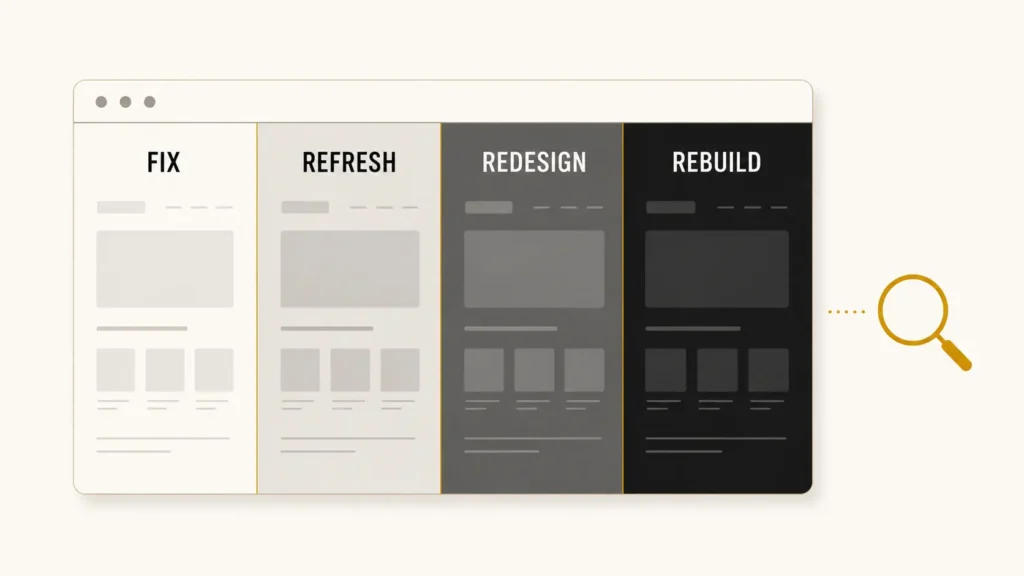
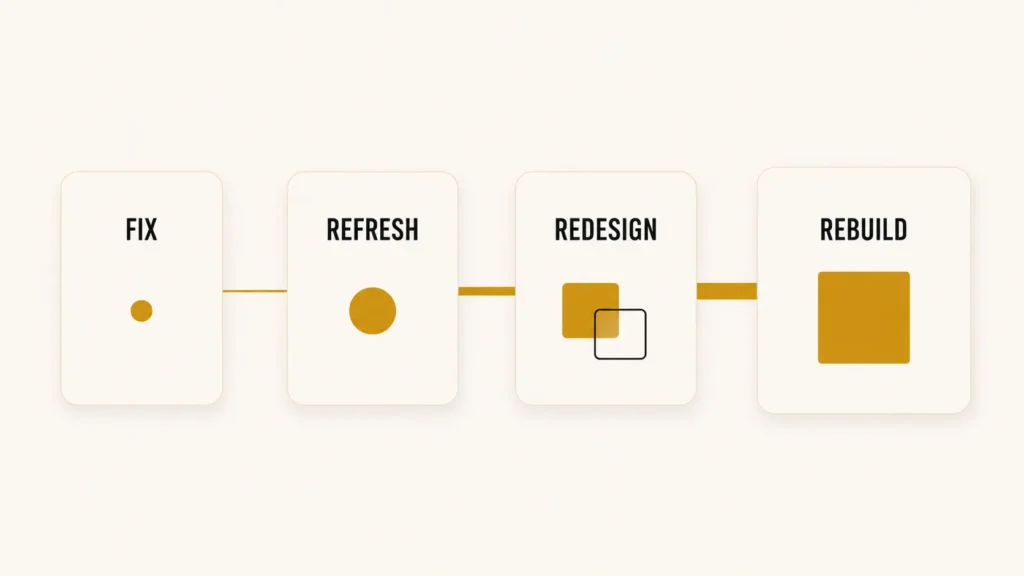
There are four levels of intervention a website can need, and they sit on a spectrum:
Fix → Refresh → Redesign → Rebuild
A broken contact form is a fix. A homepage that looks five years old is often a refresh. Confusing navigation, weak messaging, and a site visitors can’t figure out how to use is usually a redesign. A platform that can no longer support what the business has become is a rebuild.
The hard part isn’t noticing something is wrong. It’s figuring out how much actually needs to change — and whether you’re about to pay for more, or less, than the problem calls for.
This guide walks through exactly how to tell the difference.
Table of Contents
- Fix vs Refresh vs Redesign vs Rebuild: What’s the Difference?
- When You Should Just Fix Your Website
- When Your Website Needs a Refresh
- When a Full Website Redesign Makes Sense
- When You Should Rebuild Your Website
- The Hidden Cost of Continuously Patching the Wrong Website
- Is It Cheaper to Fix, Redesign or Rebuild?
- Will Redesigning or Rebuilding Your Website Hurt SEO?
- The 7-Question Website Decision Test
- Frequently Asked Questions
- Still not sure what your website actually needs?
Fix vs Refresh vs Redesign vs Rebuild: What’s the Difference?
People use these four terms interchangeably, and that’s part of why so many businesses overspend — or underspend — on the wrong solution.
Fix — Repairs something specific that’s broken. The rest of the site is untouched.
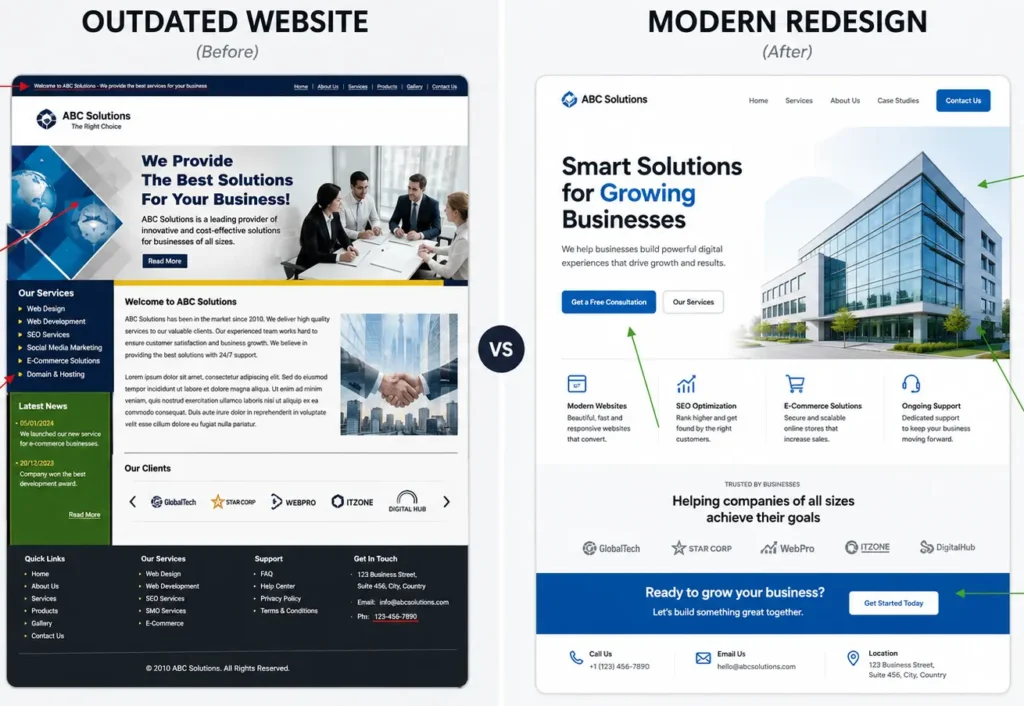
Refresh — Updates the look and feel of a site that still works structurally. Same strategy, same layout logic, updated execution.
Redesign — Rethinks how the website is structured, how it communicates, and how it guides visitors toward action. The strategy changes, not just the appearance.
Rebuild — Replaces the underlying technical foundation — the platform, the codebase, or both — because it can no longer support what the business needs.
Each level tends to include the work below it. A redesign usually involves refresh-level visual work. A rebuild usually involves redesign-level strategy work. That’s part of why cost and timeline increase as you move right along the spectrum.
| Option | What Changes | Best When | Relative Scope | Typical Example |
| Fix | One specific issue | Something is broken but the rest works | Smallest | Broken contact form |
| Refresh | Visual presentation | Site works but looks dated | Large | New homepage photography and typography |
| Redesign | Structure, messaging, UX, conversion paths | Multiple interconnected problems | Large | Confusing navigation and weak calls to action |
| Rebuild | Technical platform or foundation | Platform can’t support the business anymore | Largest | Migrating off an outdated CMS |
When You Should Just Fix Your Website
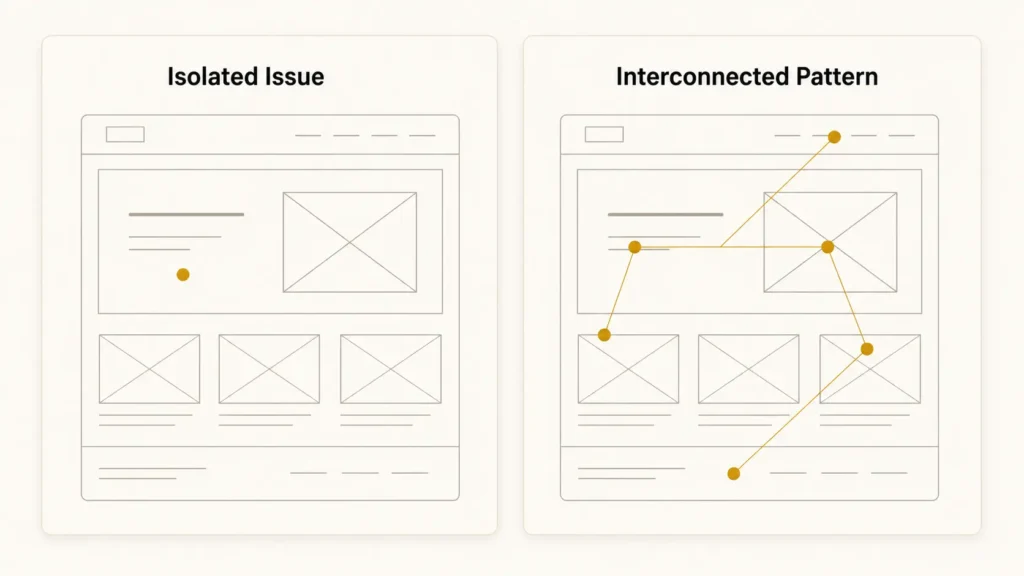
A fix makes sense when the problem is isolated. Everything else about the site works visitors understand the business, the layout makes sense, leads come in — except for one thing.
Common examples:
- A contact form that doesn’t send
- One page that loads slowly
- Outdated copy on a single page
- A handful of broken links
- One landing page that underperforms
- A mobile layout issue affecting a single section
- A small technical bug
Here’s the question worth asking honestly:
If this one issue were fixed, would you otherwise be happy with the website?
If the answer is yes, you likely need a fix — not a redesign. Spending redesign-level money on an isolated problem doesn’t make the site better; it just makes the invoice bigger.
If your answer is “well, that issue… and a few other things,” keep reading. That’s usually the first sign the problem is bigger than a fix.
When Your Website Needs a Refresh
A refresh is different from a fix. Nothing is technically broken — the site still works, visitors can still navigate it, forms still submit. It just feels behind.
This usually shows up as:
- Photography that looks dated
- Typography or colors that feel outdated compared to competitors
- Minor brand inconsistencies
- Content that needs updating — old team photos, old pricing, old service names
- A homepage that could present the business more effectively
- Small layout improvements that would make pages feel more current
The distinguishing feature of a refresh: the underlying structure and strategy stay mostly intact. You’re not changing how the site is organized or how visitors move through it — you’re updating how it looks and reads.
If your honest reaction to your homepage is “this feels old” rather than “people don’t understand what we do,” a refresh is probably the right scope. That’s a meaningfully smaller project than a redesign, and it’s worth knowing the difference before requesting a quote for the wrong one.
So, should I redesign my website because it looks dated? Usually, appearance alone isn’t enough. A redesign starts making more sense when several structural, messaging, and usability problems appear together.
When a Full Website Redesign Makes Sense
A redesign becomes the right call when the problems aren’t isolated — they’re connected. Individually, each symptom might seem minor. Together, they usually point to the same root cause: the website’s structure and messaging no longer match how the business actually needs to communicate or convert.
Watch for patterns like these:
- First-time visitors struggle to understand what the business offers within a few seconds
- Navigation reflects an old version of the business, not the current one
- Calls to action are present but unclear or inconsistent
- Multiple pages have usability problems, not just one
- Mobile experience is poor across the site, not on a single page
- The business’s positioning has changed significantly since the site was built
- The brand and the website no longer feel like they belong to the same company
- Visitors seem to get lost or drop off at predictable points
One of these alone might be a refresh-level fix. Three or four of them together — especially when they reinforce each other — is usually a redesign. Confusing navigation, for example, often exists because the messaging strategy shifted without the site structure catching up. Fixing the navigation without addressing the messaging just moves the confusion somewhere else.
If several of these sound familiar, it’s worth reading 7 Signs You Need a Website Redesign, which breaks down each pattern in more depth.
The useful mental shift here: stop asking “what’s wrong with this page?” and start asking “what’s wrong with how the whole site is organized?” If the second question keeps producing answers, that’s your signal.
When You Should Rebuild Your Website
A rebuild addresses the layer underneath the design — the platform, the codebase, or the technical architecture the site actually runs on. This is the core website redesign vs rebuild distinction: a redesign changes what visitors see and how they move through the site; a rebuild changes what the site runs on.
Signs a rebuild is worth considering:
- The CMS is outdated or no longer well-supported
- The platform can’t support functionality the business now needs — booking systems, membership areas, complex integrations
- Maintenance is difficult, slow, or requires specialized knowledge to change anything
- Security limitations that a redesign can’t solve
- The site can’t scale with traffic or content growth
- A growing stack of plugins and workarounds patched on top of each other just to keep basic things working
- The business needs a fundamentally different platform, such as moving from a page-builder to a more flexible CMS
One important distinction: a slow website does not automatically mean you need a rebuild. Performance problems are often fixable through image optimization, caching, hosting changes, or code cleanup — no new foundation required.
The real question isn’t “is something technically wrong?” It’s: does the underlying technology still support what the business needs to do, today and over the next few years? If the answer is consistently no, and fixes keep being workarounds rather than solutions, a rebuild is usually the more honest investment.
The Hidden Cost of Continuously Patching the Wrong Website
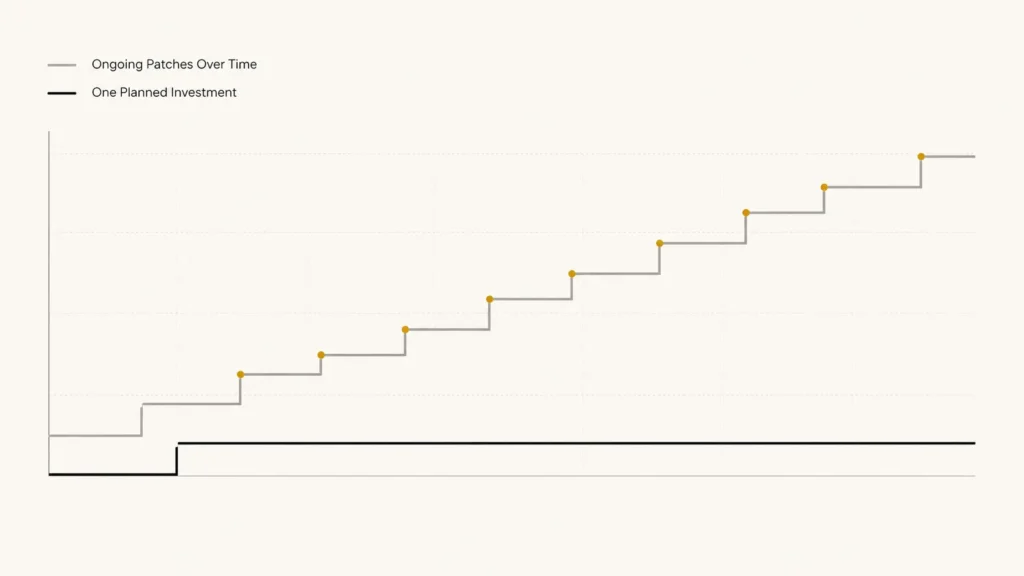
Individual fixes are usually the cheapest option in the moment. That’s often exactly why they get chosen — and frequently, that’s the right call.
But there’s a pattern worth watching for: if the same type of problem keeps returning, or a new fix is needed every few months just to keep the site functioning at a basic level, the cost isn’t really about any single invoice anymore.
This is sometimes called technical debt. In plain terms: every workaround built on top of a limitation makes the next change slightly harder, slower, or more expensive than it would have been on solid ground. No individual workaround looks expensive. The accumulation does.
The useful question shifts from:
“How much does this fix cost?”
to:
“Why does this website keep needing fixes?”
If the honest answer involves a platform that was never built for what the business does now, or a structure that keeps getting worked around instead of corrected, that’s worth knowing before the next fix — not after it.
Is It Cheaper to Fix, Redesign or Rebuild?
Every level of intervention carries a different relative cost, though actual pricing depends heavily on the size of the website, the platform, and the scope of work.
As a general pattern:
- Fix — Lowest cost. Narrow, specific scope.
- Refresh — Low to moderate. Visual and content updates without structural changes.
- Redesign — A larger investment. Strategy, structure, UX, and content typically all change together.
- Rebuild — Potentially the largest scope, since it can include both technical migration and redesign-level work.
These are relative categories, not fixed price bands. A redesign for a five-page site and a redesign for a fifty-page e-commerce store are very different budgets. For a full breakdown of what actually drives pricing, How Much Does a Website Redesign Cost? (2026 Guide) covers it in detail — useful reading once you’re at the budgeting stage.
Will Redesigning or Rebuilding Your Website Hurt SEO?
Redesigning or rebuilding a website does not inherently damage SEO. Problems happen when the migration itself is handled carelessly, not because the site changed.
Common ways SEO gets damaged during a redesign or rebuild:
- URLs change without proper 301 redirects to the new pages If URLs need to change, follow Google’s site-move guidance for redirecting old URLs to their appropriate new destinations.
- Pages get deleted without checking whether they ranked for anything
- Internal links point to old URLs that no longer exist
- Metadata — titles and descriptions — gets wiped out instead of migrated
- New pages aren’t fully crawlable, or the sitemap isn’t updated
- Page speed drops due to unoptimized new code or images
- Analytics and conversion tracking aren’t reinstalled correctly, creating a data gap
Handled properly — with redirects mapped, content migrated deliberately, and tracking verified before and after launch — a redesign can maintain or even improve SEO performance, since better UX and page speed are themselves ranking factors.
This is a big enough topic to deserve its own detailed guide. For now, the short version: SEO risk during a redesign comes from execution, not from the decision to redesign.
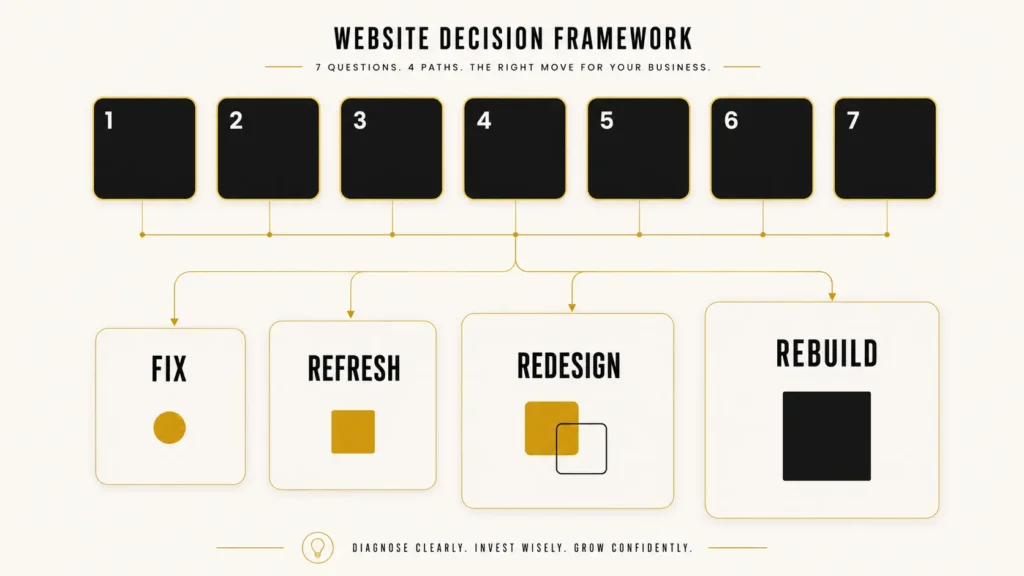
The 7-Question Website Decision Test
If you’re still asking “Should I redesign my website?”, don’t base the answer on appearance alone. Look at the pattern across these seven questions.
Answer them honestly. Together, they’ll give you a much clearer indication of whether your website needs a fix, refresh, redesign, or rebuild.
- Does your underlying platform still support what your business needs?
- Can a first-time visitor quickly understand what you offer?
- Is the problem limited to one or two isolated areas?
- Is the website easy for you or your team to update?
- Does the website work properly across mobile devices?
- Has your business significantly changed since the website was created?
- Are you repeatedly paying for workarounds because of technical limitations?
Now look at the pattern across your answers, not any single one:
- Mostly isolated problems, everything else works → Likely a fix
- Mostly cosmetic or content problems, structure still works → Likely a refresh
- Multiple UX, messaging, structure, and conversion problems → Likely a redesign
- Fundamental technical or platform limitations show up repeatedly → Likely a rebuild
Most websites don’t fall cleanly into one category, and that’s normal. If your answers span two categories, the larger one is usually the more accurate read — a website with both cosmetic and structural problems tends to need the redesign, since a refresh alone won’t resolve what’s underneath it.
Frequently Asked Questions
Is a website redesign better than a website refresh?
Not automatically. A refresh is the right call when the site’s structure and strategy still work and only the presentation feels dated. A redesign is better when the problems go deeper than appearance — navigation, messaging, or conversion paths that aren’t working. “Better” depends on which one actually matches the problem.
Does website redesign affect SEO?
It can, but not because of the redesign itself. SEO issues during a redesign usually come from mishandled URL changes, missing redirects, or deleted content — not from updating the site. Done carefully, a redesign can maintain or improve SEO performance.
Why should I redesign my website?
The reasons that actually justify a redesign are usually a pattern: visitors struggle to understand the offer, navigation doesn’t reflect the current business, conversion paths are weak, and the mobile experience has multiple issues — not just one outdated page.
What’s the difference between redesigning and rebuilding a website?
A redesign changes structure, messaging, and user experience while often keeping the same platform. A rebuild replaces the underlying technical foundation — the CMS or codebase — because it can no longer support what the business needs, regardless of how the site looks.
Should I redesign my website or just fix it?
It depends on whether the problem is isolated or interconnected. One broken element on an otherwise functional site usually needs a fix. Multiple UX, messaging, and structural problems that reinforce each other usually need a redesign. The 7-question test above is the fastest way to tell which applies to your site.
Still asking, “Should I redesign my website or just fix it?”
That’s a reasonable place to land. Most business owners can tell something isn’t working — figuring out exactly how much needs to change is a different skill, and it’s usually easier to see clearly from the outside.
That’s what a website audit is for.
A Saad Labs website audit will identify:
- What we’d fix
- What we’d leave alone
- Where the biggest problems actually are
- Whether a larger redesign genuinely makes sense — or doesn’t
[Request a Free Website Audit]
No pressure. No fake urgency. No aggressive selling — just a clear answer to the question this article was written to help you ask correctly.