Introduction
Your website might look modern, load quickly, and even receive regular traffic. Yet if it isn’t generating enquiries, something isn’t working.
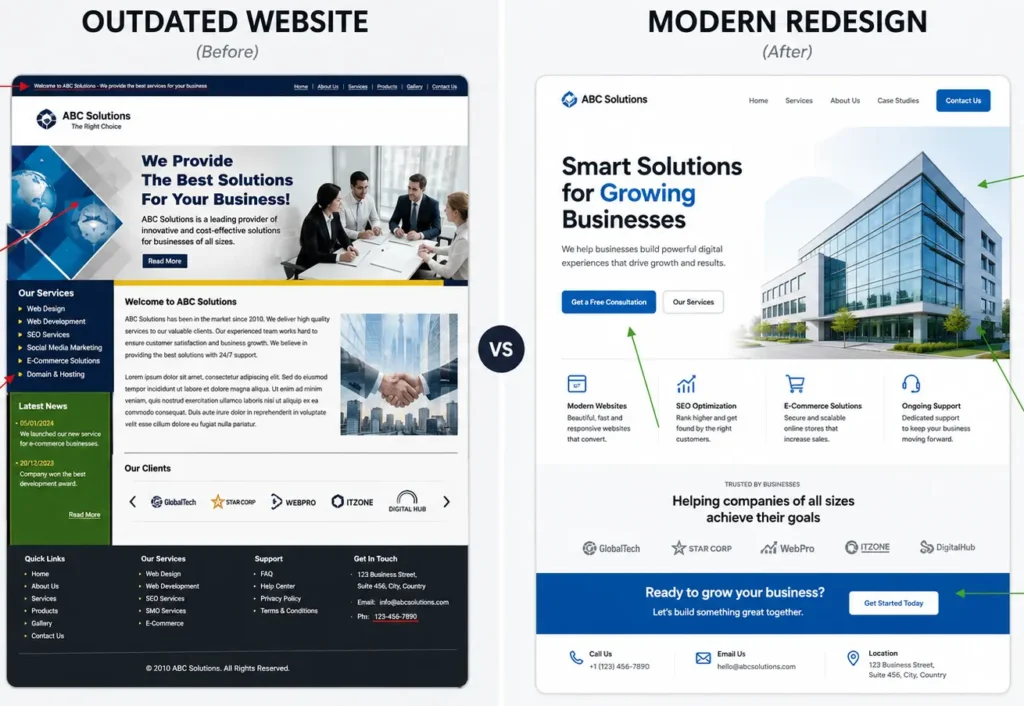
Many business owners assume the answer is a complete website redesign. Sometimes they’re right. More often, they’re about to spend thousands of dollars fixing the wrong problem.
We’ve reviewed websites that looked outdated but consistently generated qualified leads. We’ve also seen beautifully designed websites with professional photography, custom animations, and polished branding that struggled to convert visitors into customers.
The difference wasn’t the design. It was how well the website supported the business.
A website isn’t just a digital brochure. It’s part of your sales process. If visitors can’t quickly understand what you do, trust your business, or take the next step, they’ll leave—regardless of how impressive the design looks.
If you’re still wondering whether a redesign is actually necessary, read our guide on 7 Signs You Need a Website Redesign before making that decision.
The problem is that most website audits aren’t written for business owners.
They’re filled with technical jargon, SEO scores, accessibility reports, Core Web Vitals, crawl errors, and dozens of metrics that can make it difficult to understand what actually matters. While those details have their place, they rarely answer the questions business owners care about most:
- Why isn’t my website generating enquiries?
- What’s stopping visitors from becoming customers?
- Can these issues be fixed without rebuilding the entire site?
- Which improvements will have the biggest impact on my business?
A useful website audit should help you make better business decisions—not overwhelm you with data.
That’s exactly what this guide is designed to do.
Instead of giving you a list of 100 technical checks, we’ll walk through 24 business-critical website audit checks that influence trust, enquiries, search visibility, user experience, and long-term growth.
For each check, you’ll learn:
- Why it matters to your business
- How to identify the problem
- What the warning signs look like
- Whether it needs a simple fix, a website refresh, or a complete redesign
By the end of this guide, you’ll have a clear picture of what’s holding your website back and where your time and budget will have the greatest impact.
Whether you’re considering a redesign or simply want your current website to perform better, this checklist will help you make that decision with confidence.
Table of Contents
- What Is a Website Audit Checklist?
- Why You Should Audit Your Website Before Redesigning
- Business & Messaging
- User Experience
- Conversion
- Performance
- SEO
- Security & Technical Health
- Analytics & Measurement
- How to Score Your Website
- What Should You Fix First?
- Common Website Audit Mistakes
- Frequently Asked Questions
- Conclusion
- Request a Free Website Audit
What Is a Website Audit Checklist?
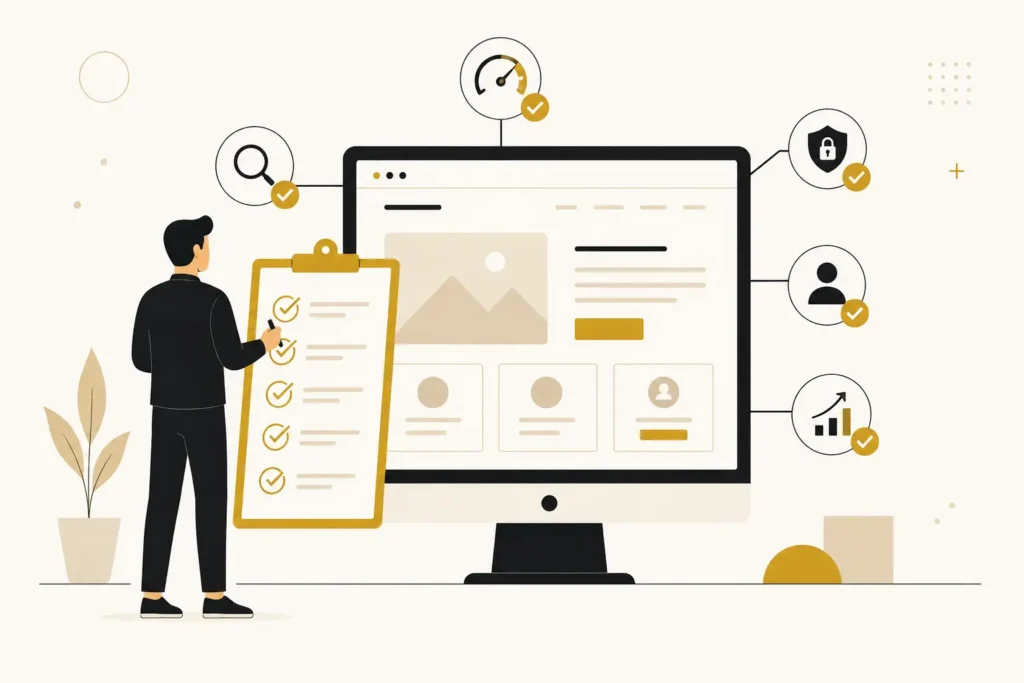
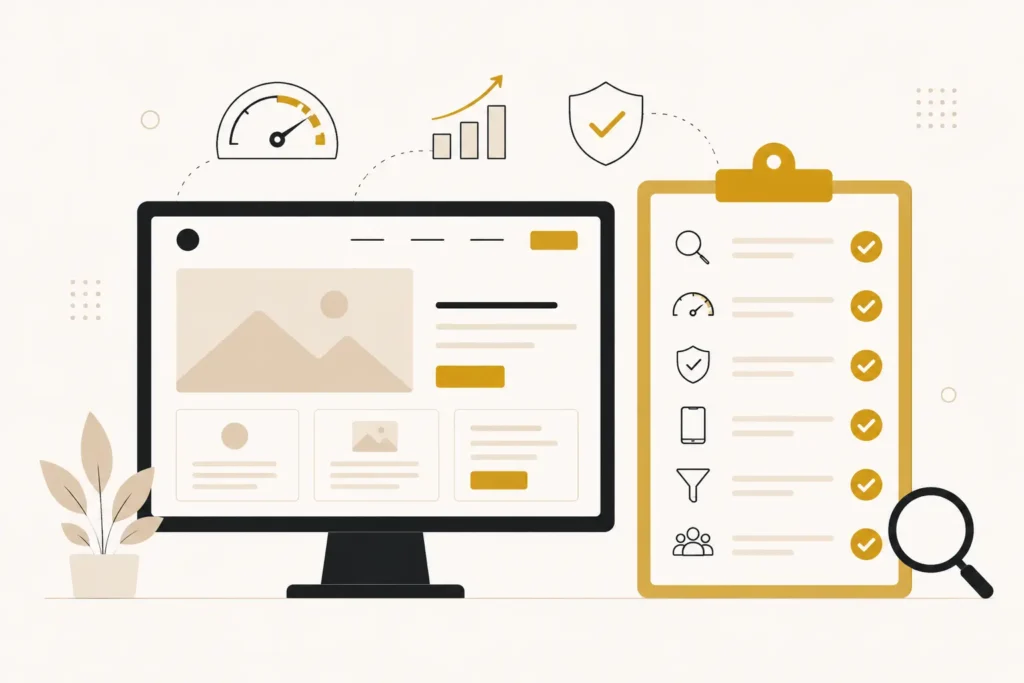
A website audit checklist is a structured process for evaluating how well your website supports your business goals. Rather than focusing only on technical performance, it reviews the areas that directly influence enquiries, customer trust, search visibility, user experience, and conversions.
A complete website audit typically examines:
- Website performance and speed
- User experience and navigation
- Mobile usability
- SEO fundamentals
- Security and trust signals
- Conversion opportunities
- Content quality
- Technical health
The goal isn’t to achieve a perfect score in every tool. It’s to identify the issues that are preventing your website from attracting visitors, building credibility, and turning those visitors into customers.
Why You Should Audit Your Website Before Redesigning
It’s easy to assume that a website redesign will solve every problem.
Traffic is down? Redesign the site.
Leads have slowed? Redesign the site.
The website feels outdated? Redesign the site.
Sometimes that’s the right decision. But many businesses invest in a redesign before they understand what’s actually causing poor performance.
That’s like replacing an entire car because one warning light appeared on the dashboard.
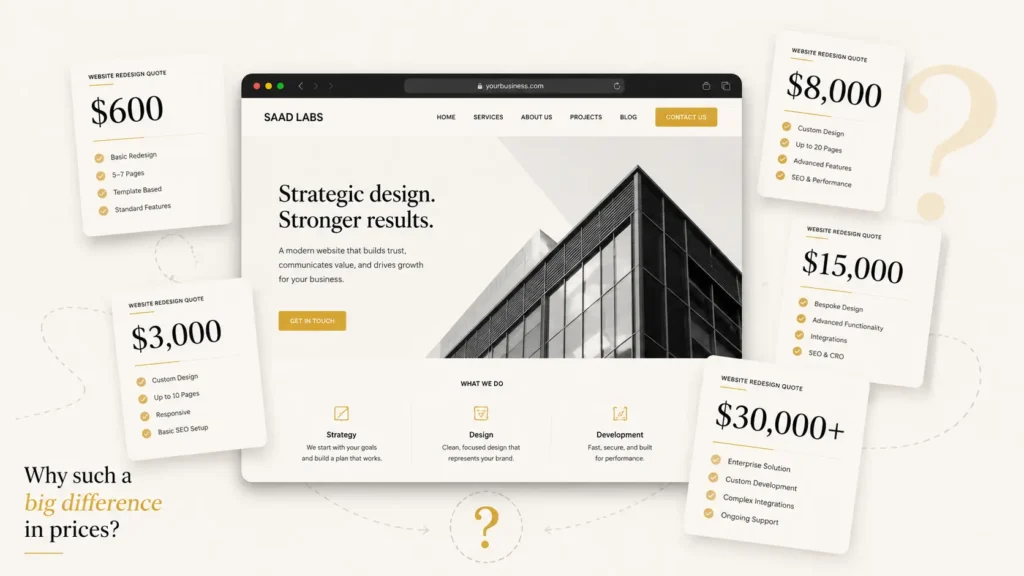
If budget is one of your biggest concerns, our Website Redesign Cost Guide explains what businesses should expect to invest and what actually influences pricing.
A Redesign Doesn’t Automatically Fix Business Problems
A new design can’t compensate for unclear messaging, weak calls to action, poor service positioning, or missing trust signals.
If visitors don’t understand why they should choose your business today, changing colours and layouts won’t suddenly increase enquiries.
Likewise, if your website isn’t ranking because important pages haven’t been optimised, rebuilding the site won’t solve that on its own.
An audit helps separate cosmetic issues from problems that genuinely affect business performance.
Many Websites Need Improvements, Not Replacement
One of the biggest misconceptions is that websites have only two options:
- Keep the current site.
- Build a completely new one.
In reality, there’s often a third option that delivers a better return on investment.
Small, targeted improvements can significantly improve website performance without the cost, disruption, or risk of a full redesign.
Examples include:
- Simplifying navigation
- Improving page speed
- Adding clearer calls to action
- Updating service pages
- Fixing broken forms
- Improving mobile usability
- Strengthening trust signals with reviews, case studies, or FAQs
These improvements often have a much bigger impact than businesses expect.
A Website Audit Helps You Prioritise
Every website has imperfections.
The question isn’t whether problems exist—it’s which ones deserve your attention first.
Some issues directly affect enquiries.
Others are worth fixing eventually but have little impact on business results.
A good audit helps you prioritise based on business value instead of technical perfection.
| Issue | Business Impact | Priority |
| Contact form not working | Lost enquiries | High |
| Slow loading service pages | Visitors leave before engaging | High |
| Missing image alt text | Accessibility and SEO improvement | Medium |
| Outdated team photos | Brand perception | Medium |
| Minor CSS styling inconsistencies | Minimal impact | Low |
This approach helps you invest where you’ll see measurable results instead of chasing every technical recommendation.
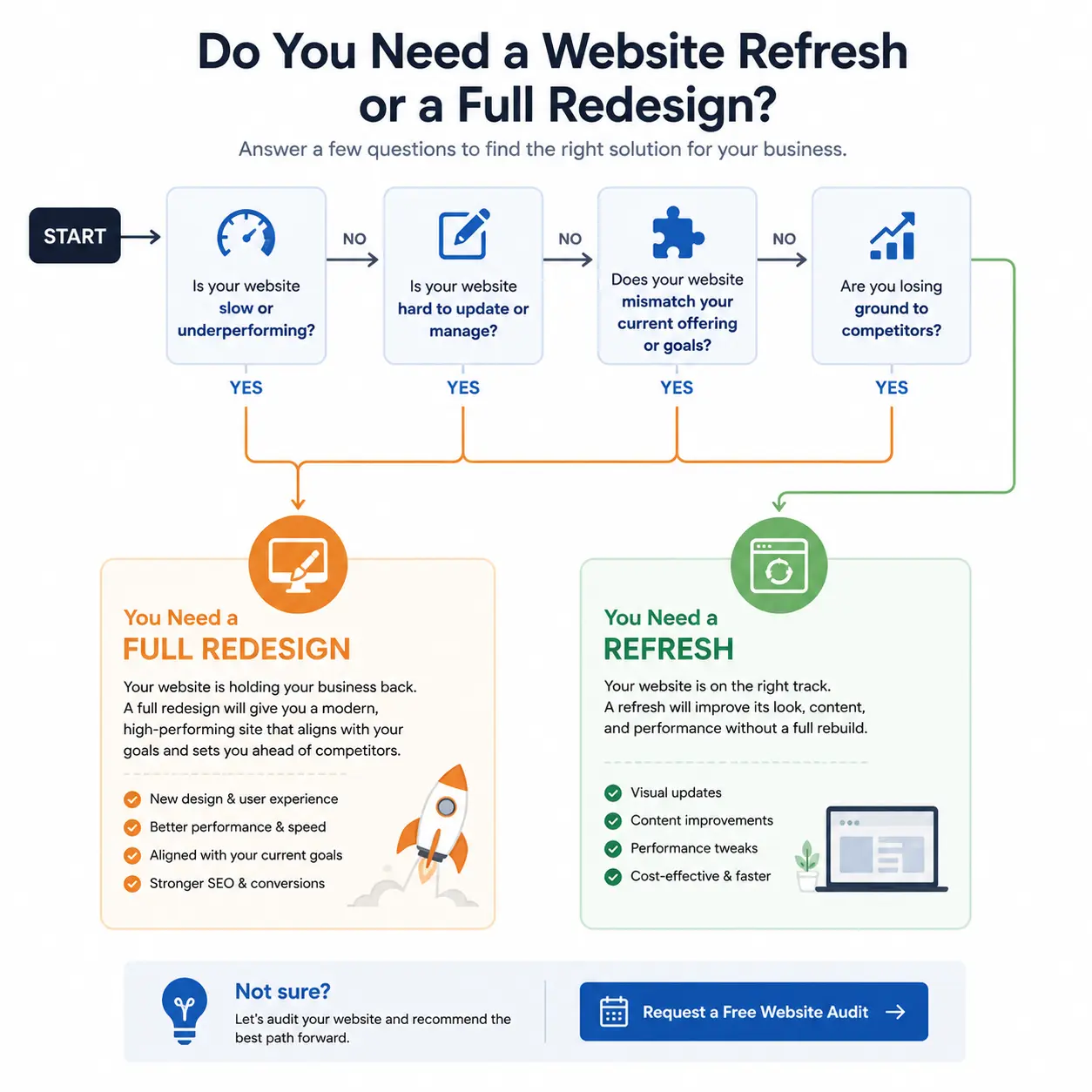
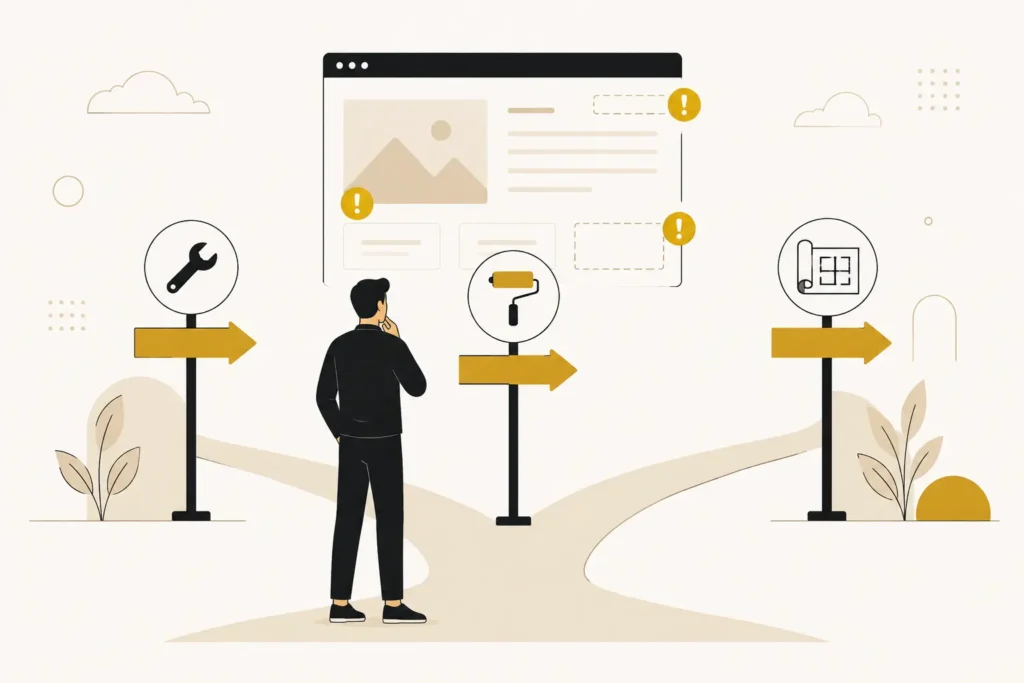
Decision Framework: Fix vs Refresh vs Redesign
Before committing to a redesign, ask which category your website falls into.
| Option | Best For | Typical Examples |
| Fix | The website works well but has a few issues affecting performance. | Broken forms, slow pages, weak calls to action, missing SEO basics, outdated content. |
| Refresh | The structure is solid but parts of the site feel dated or inconsistent. | Updated branding, improved layouts, new imagery, clearer messaging, improved user experience. |
| Redesign | The website no longer supports the business or has fundamental usability, technical, or conversion problems. | Poor information architecture, outdated technology, major mobile issues, confusing navigation, low conversion rates across the site. |
There’s no universal rule for when a redesign is necessary.
A five-year-old website may still perform exceptionally well if it’s maintained regularly.
On the other hand, a website launched last year may already need significant changes if it was built without considering user experience or business goals.
The right decision comes from understanding what’s working, what isn’t, and how those issues affect your ability to generate enquiries.
That’s exactly what a structured website audit is designed to uncover.
The first part of this website audit checklist focuses on the messaging that shapes first impressions and influences whether visitors become enquiries.
Business & Messaging
Before looking at speed, SEO, or technical performance, start with the fundamentals.
If visitors don’t understand who you help, why they should trust you, or what makes your business different, they won’t become customers—even if every technical score is perfect.
These first four checks focus on the message your website communicates in the first few seconds. They often have a bigger impact on enquiries than any design trend or SEO tweak.
1. Is It Immediately Clear What Your Business Does?
Why it matters
Most visitors decide whether to stay or leave within a few seconds.
If your homepage forces people to guess what you offer, who you serve, or where you operate, many won’t stick around long enough to find out.
Confusion creates friction. Friction reduces enquiries.
How to check it yourself
Open your homepage as if you’ve never seen it before.
Within five seconds, ask yourself:
- What does this business do?
- Who is it for?
- What problem does it solve?
- What should I do next?
If you struggle to answer any of these questions, first-time visitors probably will too.
Warning signs
- Headlines full of buzzwords instead of clear services
- Generic statements like “We help businesses grow”
- No mention of your primary services
- Visitors frequently asking what you actually offer
- High homepage bounce rates despite healthy traffic
What to do next
Replace vague marketing language with a simple headline that explains exactly what you do and who you help.
Then support it with a short sentence explaining the outcome customers can expect, followed by a clear call to action.
Decision
Fix if your messaging is simply unclear.
Refresh if your homepage needs a stronger content hierarchy.
Redesign only if the entire website structure makes your services difficult to understand.
Consultant Insight
During website audits, one of the most common issues isn’t poor design—it’s unclear positioning. Businesses know their services so well that they forget first-time visitors have no context. Clarity almost always beats cleverness.
2. Does Your Website Speak to Your Ideal Customer?
Why it matters
A website that tries to appeal to everyone usually connects with no one.
People are more likely to enquire when they feel your business understands their situation, challenges, and goals.
If your copy could describe almost any company, it isn’t creating that connection.
How to check it yourself
Read your homepage and service pages out loud.
Count how often you talk about your company compared with your customer’s problems.
If most sentences begin with “we,” “our,” or “us,” your messaging is probably business-focused rather than customer-focused.
Warning signs
- Generic copy that could belong to any competitor
- Little mention of customer challenges or outcomes
- Heavy emphasis on company history instead of client benefits
- No examples of who you work with
What to do next
Rewrite key sections around your customer’s priorities.
Instead of describing features, explain the business outcomes they care about, such as saving time, generating more enquiries, improving credibility, or increasing sales.
Decision
Fix if only the copy needs improvement.
Refresh if multiple service pages require rewriting.
Redesign if your site’s structure makes it impossible to communicate effectively with different audiences.
3. Is Your Value Proposition Obvious?
Why it matters
Visitors compare your website with several competitors before making a decision.
If they can’t quickly understand why they should choose your business instead of another, price often becomes the deciding factor.
A clear value proposition helps prospects recognise your strengths before they start comparing quotes.
How to check it yourself
Ask someone unfamiliar with your business to spend one minute on your homepage.
Then ask:
“What makes this business different?”
If they can’t answer confidently, your value proposition needs work.
Warning signs
- Similar messaging to every competitor
- Generic promises like “high quality” or “excellent service”
- No explanation of your process, expertise, or unique approach
- Visitors requesting basic information that should already be obvious
What to do next
Identify what genuinely sets your business apart.
That might be your process, industry experience, response time, specialist knowledge, ongoing support, or the specific problems you solve better than others.
Make that difference visible early on the page instead of hiding it further down.Hosting, maintenance, and plugin fees are easy to forget when comparing initial quotes.
Decision
Fix if your unique value simply isn’t communicated.
Refresh if your positioning needs strengthening across the website.
Redesign if the site’s layout prevents important messaging from being seen.
Consultant Insight
A value proposition isn’t a slogan. It’s the answer to a customer’s silent question: “Why should I choose you instead of the next website I open?”
4. Does Your Website Build Trust Within Seconds?
Why it matters
People rarely enquire from a website they don’t trust.
Before visitors read your service pages or compare prices, they’re already looking for signs that your business is legitimate, experienced, and reliable.
Trust isn’t built by a single testimonial. It’s created through dozens of small signals working together.
How to check it yourself
Review your homepage and ask whether it answers these questions quickly:
- Is this a real business?
- Can I see evidence of experience?
- Is it easy to contact them?
- Would I feel comfortable sharing my details?
If those answers aren’t immediately clear, trust is likely being lost.
Warning signs
- No customer reviews or testimonials
- Missing project examples or case studies
- No visible contact information
- Outdated branding or content
- Broken pages, forms, or links
- No clear business location or company details where relevant
What to do next
Strengthen the trust signals visitors see first.
Highlight customer testimonials, showcase completed work, display recognisable certifications where applicable, provide accurate contact details, and ensure your website looks actively maintained.
Often, these improvements can increase confidence without changing the site’s design.
Decision
Fix if you’re missing individual trust elements.
Refresh if credibility needs reinforcing throughout the website.
Redesign if poor design quality or outdated presentation undermines confidence before visitors engage with your content.
A complete website audit checklist should also evaluate how easy it is for visitors to navigate your website and find the information they need.
User Experience
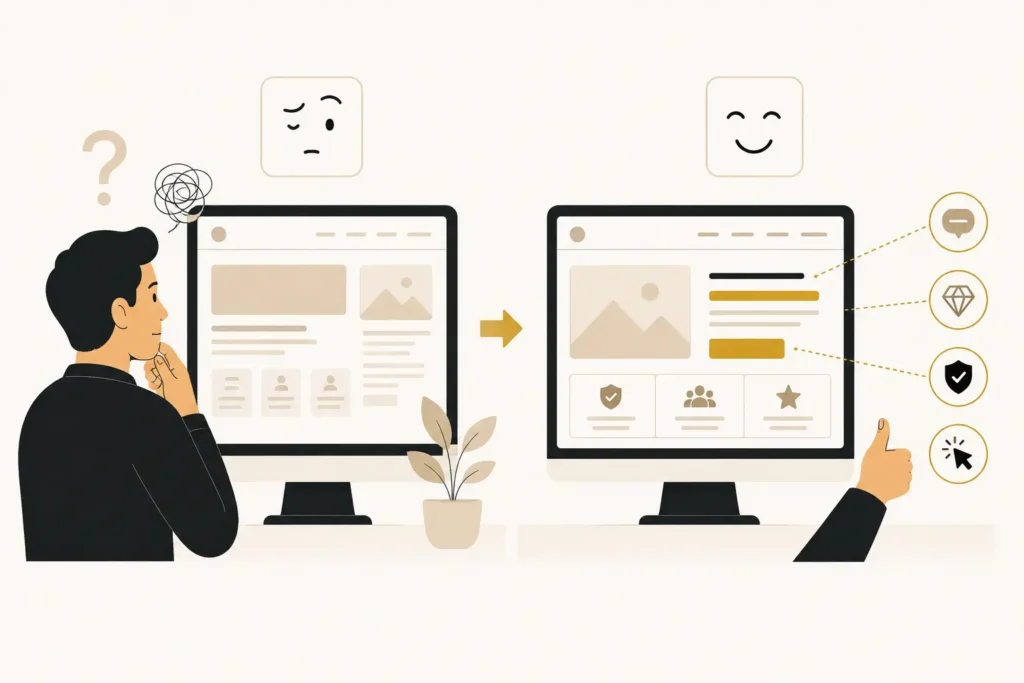
A visitor shouldn’t have to think about how to use your website.
Every extra click, confusing menu, or missing piece of information increases the chance they’ll leave and choose a competitor instead.
Good user experience isn’t about impressive animations or trendy layouts. It’s about making it easy for people to find answers and take action.
5. Is Your Navigation Easy to Understand?
Why it matters
Your navigation acts as the roadmap for your website.
If visitors can’t quickly find your services, pricing, portfolio, or contact information, they’ll often abandon the site instead of searching for it.
Confusing navigation costs enquiries because people rarely have the patience to solve a website’s puzzle.
How to check it yourself
Ask someone unfamiliar with your business to complete three simple tasks:
- Find your main service.
- Find your contact page.
- Find proof that you’ve completed similar work.
If they hesitate or click around unnecessarily, your navigation needs attention.
Warning signs
- Too many menu items
- Vague labels like “Solutions” or “Resources”
- Important pages hidden in dropdowns
- Visitors repeatedly asking questions already answered on your website
What to do next
Keep your main navigation focused on the pages customers need most.
Use simple labels that describe the destination rather than clever marketing terms.
For example, “Website Design” is clearer than “Digital Solutions.”
Decision
Fix if labels or menu order are confusing.
Refresh if the navigation has grown cluttered over time.
Redesign if the site’s structure makes it difficult to organise content logically.
6. Is Your Website Mobile-Friendly?
Why it matters
For many businesses, most visitors now arrive on a mobile device.
If your website is difficult to read, slow to use, or frustrating to navigate on a phone, potential customers may leave before they even understand what you offer.
A poor mobile experience affects both conversions and search visibility.
How to check it yourself
Open your website on your own phone—not just the homepage, but your service pages and contact form.
Ask yourself:
Can you complete an enquiry without zooming or rotating the screen?
Is the text easy to read?
Are buttons large enough to tap?
Do images display correctly?
Warning signs
- Tiny text
- Buttons placed too close together
- Content overflowing the screen
- Slow loading on mobile networks
- Forms that are difficult to complete
What to do next
Prioritise the pages that generate enquiries.
Improve readability, simplify layouts, optimise images, and test forms on multiple devices.
Decision
Fix if only a few mobile issues exist.
Refresh if several templates need updating.
Redesign if the website wasn’t built with mobile users in mind.
7. Can Visitors Find Important Information Quickly?
Why it matters
Visitors come to your website with questions.
If they can’t quickly find the answers, they may assume your business isn’t the right fit—even when it is.
Every unnecessary search increases the likelihood they’ll leave without contacting you.
How to check it yourself
Review your key pages and ask:
- Are services explained clearly?
- Is pricing information available where appropriate?
- Can visitors easily find contact details, FAQs, or testimonials?
- Is the next step obvious?
If important information requires several clicks, it’s probably too difficult to find.
Warning signs
- Essential information buried deep within pages
- Long walls of text without headings
- Repeated customer enquiries about basic information
- High exit rates on important pages
What to do next
Structure pages around the questions customers ask most often.
Use descriptive headings, concise sections, and place key information where visitors expect to find it.
Consultant Insight
During website audits, we often find businesses hiding their strongest selling points halfway down a page. Don’t make visitors work to discover why they should choose you.
Decision
Fix if content organisation is the main issue.
Refresh if multiple pages need restructuring.
Redesign if users consistently struggle to find core information across the site.
Conversion
A website can attract thousands of visitors each month and still generate very few enquiries.
The difference usually comes down to conversion.
Conversion isn’t about persuading people. It’s about removing the obstacles that stop ready-to-buy visitors from taking the next step.
8. Does Every Page Have a Clear Call-to-Action?
Why it matters
Visitors shouldn’t have to guess what happens next.
Whether you want people to request a quote, book a consultation, or contact your team, every important page should guide them toward a clear action.
Without direction, many visitors simply leave.
How to check it yourself
Visit each service page and ask:
“If I wanted to become a customer right now, what should I do?”
If the answer isn’t obvious within a few seconds, your call-to-action needs improvement.
Warning signs
- No visible call-to-action
- Several competing buttons on one page
- Generic wording like “Click Here”
- Calls-to-action appearing only at the bottom of long pages
What to do next
Choose one primary action for each page and make it easy to spot.
For example, a website design page might consistently encourage visitors to Request a Free Website Audit, while a contact page simply focuses on getting in touch.
Decision
Fix if calls-to-action are unclear or inconsistent.
Refresh if the messaging needs strengthening across multiple pages.
Redesign if page layouts prevent important actions from standing out.
9. Are Your Contact Forms Creating Friction?
Why it matters
Every unnecessary field reduces the likelihood that someone completes your form.
If contacting your business feels like filling out paperwork, you’ll lose enquiries from people who were otherwise ready to get in touch.
How to check it yourself
Complete your own contact form from a mobile phone.
Notice how long it takes and whether any questions feel unnecessary.
Warning signs
- Too many required fields
- Complicated dropdowns
- Confusing error messages
- Forms that don’t confirm successful submission
- Requests for information you don’t actually need
What to do next
Ask only for the information needed to start the conversation.
For many service businesses, a name, email, phone number, and brief project description are enough.
Decision
Fix if the form is simply too long.
Refresh if multiple enquiry processes need simplifying.
Redesign if your website’s conversion flow is fundamentally broken.
10. Can Visitors Become Customers with Minimal Effort?
Why it matters
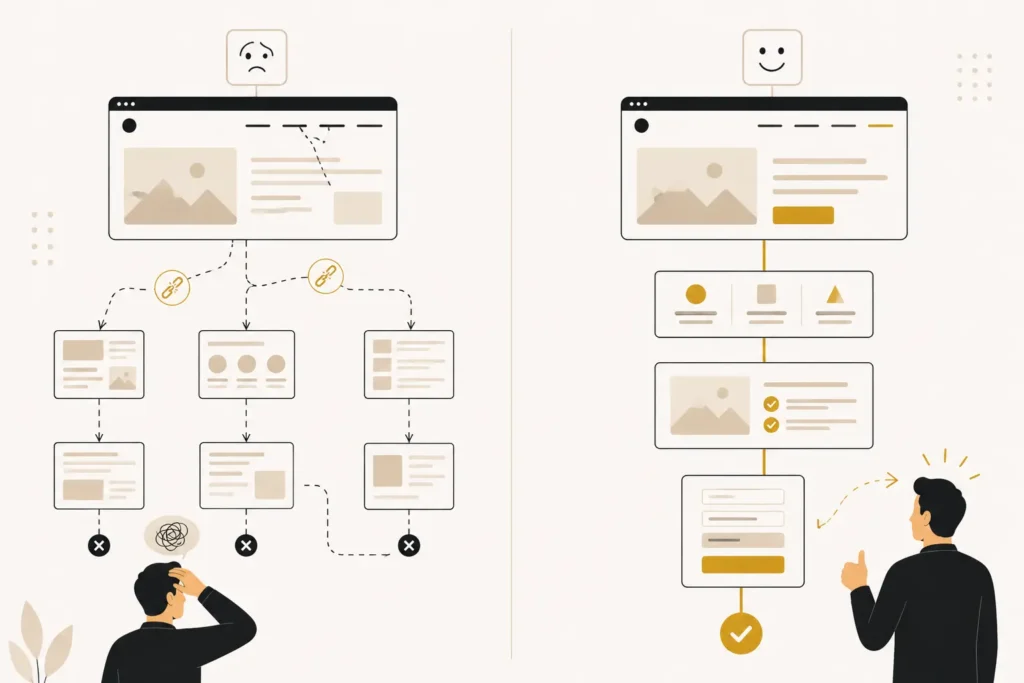
Every additional step between interest and enquiry creates another opportunity for visitors to leave.
The easier it is to contact your business, the more opportunities you create.
How to check it yourself
Imagine you’re a potential customer.
Count how many steps it takes to go from your homepage to submitting an enquiry.
Then ask yourself whether any of those steps are unnecessary.
Warning signs
- Important actions hidden behind multiple pages
- Visitors needing to search for contact information
- Broken booking links or enquiry buttons
- Different calls-to-action competing for attention
- A complicated journey from interest to contact
What to do next
Reduce friction wherever possible.
Place clear calls-to-action on key pages, keep contact options visible, and ensure every enquiry path works exactly as expected.
For example, if a visitor lands directly on your “Website Redesign” page from Google, they should be able to request a consultation without returning to the homepage first.
Decision
Fix if a few unnecessary steps are slowing visitors down.
Refresh if your conversion journey has become inconsistent over time.
Redesign if the website’s structure makes a simple customer journey impossible.
No website audit checklist is complete without reviewing website performance, especially on mobile devices where speed directly affects user experience.
Performance
Performance isn’t about chasing perfect scores in online testing tools.
It’s about making sure your website is fast, reliable, and easy to use. Every delay, broken page, or technical problem increases the chances that a potential customer leaves before contacting you.
Think of performance as removing obstacles between a visitor and an enquiry.
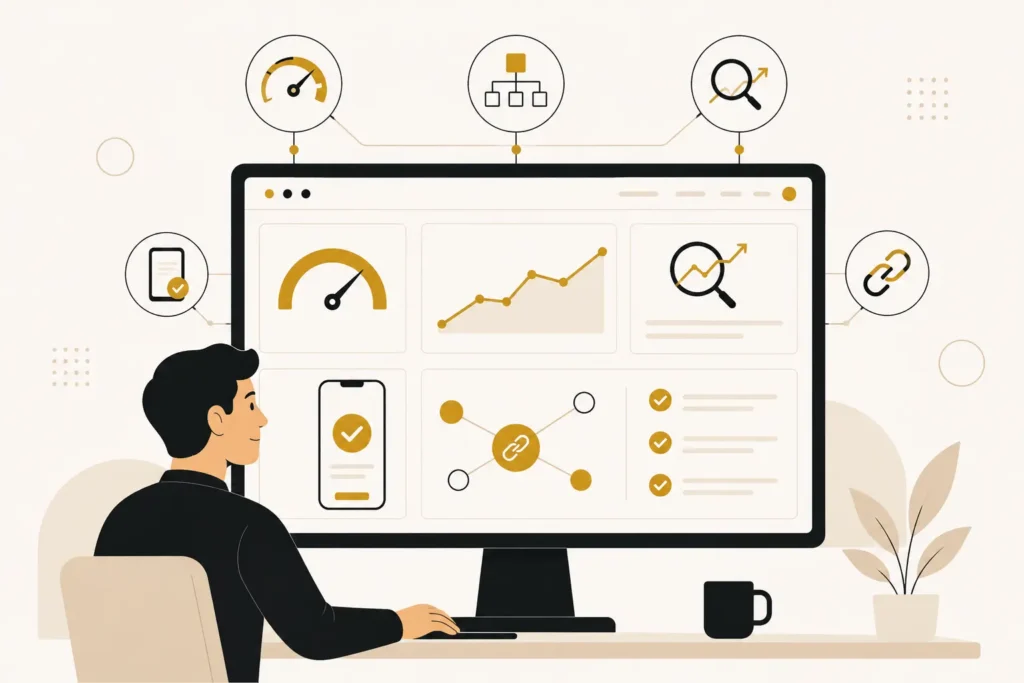
11. Are Your Core Web Vitals and Loading Speed Helping or Hurting Your Business?
Business impact
A slow website doesn’t just frustrate visitors—it reduces trust and costs opportunities.
If someone clicks through from Google and waits several seconds for your page to load, they’re more likely to return to the search results and visit a competitor instead.
Loading speed also plays a role in search visibility, making it a business issue as well as a technical one.
How to check
Open your most important pages on your phone using mobile data rather than Wi-Fi.
Ask yourself:
- Does the page feel responsive?
- Can you start reading almost immediately?
- Do images or sections suddenly shift while loading?
You can also use Google’s PageSpeed Insights to identify broad performance issues, but remember that user experience matters more than chasing a perfect score.
Warning signs
- Pages taking several seconds to load
- Images appearing slowly
- Buttons moving while the page loads
- Visitors leaving quickly after arriving
- Complaints that the website feels slow
Recommended action
Start with improvements that have the biggest business impact:
- Compress large images.
- Remove unnecessary plugins or scripts.
- Improve hosting if performance is consistently poor.
- Prioritise fast-loading service and landing pages.
Decision
Fix if a few optimisations will noticeably improve speed.
Refresh if multiple pages feel sluggish because of accumulated content or outdated assets.
Redesign if the website’s underlying build or technology makes acceptable performance difficult to achieve.
12. Does Your Website Perform Well on Mobile?
Business impact
For many businesses, mobile visitors now outnumber desktop users.
A website that performs well on a computer but feels slow or awkward on a phone is likely losing enquiries every day.
How to check
Browse your website using a typical mobile connection.
Navigate between pages, open images, and complete your contact form.
Pay attention to how quickly each action responds.
Warning signs
- Slow page transitions
- Oversized images
- Long loading times on service pages
- Mobile users abandoning the site early
Recommended action
Optimise pages specifically for mobile visitors rather than assuming the desktop experience is enough.
Focus first on the pages that generate enquiries.
Decision
Fix if only certain pages perform poorly.
Refresh if mobile performance has gradually declined.
Redesign if the website was never designed with mobile users as a priority.
13. Are Broken Pages and Technical Issues Damaging User Experience?
Business impact
Nothing undermines confidence faster than clicking a link that doesn’t work.
Broken pages, missing images, failed downloads, or error messages make a business appear neglected—even if the products or services are excellent.
Small technical issues often create a much bigger trust problem than businesses realise.
How to check
Click through your own website as a customer would.
Test:
- Navigation links
- Contact forms
- Downloadable resources
- Buttons
- Images
- External links
Also search your own website in Google and check whether any results lead to missing pages.complete your contact form.
Pay attention to how quickly each action responds.
Warning signs
- 404 error pages
- Broken buttons
- Missing images
- Contact forms that don’t send enquiries
- Links leading to outdated content
Recommended action
Repair user-facing issues first.
Visitors notice broken experiences long before they notice technical SEO improvements.
Consultant Insight
During website audits, we regularly find businesses investing in redesign quotes while simple issues—like broken enquiry forms or dead links—are quietly costing them leads. Always fix the problems preventing customers from contacting you before considering a complete rebuild.
Decision
Fix if only individual issues exist.
Refresh if technical problems appear across multiple sections.
Redesign if the website’s structure makes ongoing maintenance unreliable.
SEO
SEO isn’t about ranking for every possible keyword.
It’s about helping the right people find your business when they’re actively looking for your products or services.
A healthy website should make it easy for search engines to understand your content—and easy for potential customers to find it.
14. Are Your Important Pages Being Indexed?
Business impact
If Google hasn’t indexed a page, it has very little chance of appearing in search results.
That means potential customers can’t discover it, regardless of how well it’s written.
How to check
Search Google using:
site:yourdomain.com
Review whether your key service pages appear.
You can also check Google Search Console for indexing status and coverage issues.
Warning signs
- Important pages missing from Google
- New pages taking a long time to appear
- Valuable content receiving no search traffic
Recommended action
Identify why pages aren’t being indexed.
Google also provides detailed guidance on how websites are crawled, indexed, and surfaced in search through Google Search Central.
Decision
Fix if only a few important pages are affected.
Refresh if your site’s content structure needs improving.
Redesign only if technical limitations prevent search engines from crawling the website effectively.
15. Does Your Content Match Search Intent?
Business impact
Ranking isn’t enough if visitors don’t find what they expected.
When your content matches the questions people are actually asking, visitors stay longer, build trust, and are more likely to enquire.
How to check
Review your key pages and ask:
- Does this answer the customer’s main question?
- Is it written for business owners rather than industry experts?
- Would someone feel confident taking the next step after reading it?
Warning signs
- High bounce rates
- Pages ranking but generating few enquiries
- Content focused on your business instead of customer problems
- Generic articles offering little practical value
Recommended action
Rewrite pages around customer intent rather than keywords alone.
Start with the business problem, explain why it matters, and then offer practical guidance.
Decision
Fix if individual pages miss the mark.
Refresh if several service pages need stronger messaging.
Redesign if the entire content structure no longer reflects your services or target audience.
16. Are Your Title Tags and Meta Descriptions Encouraging Clicks?
Business impact
Your title tag and meta description create the first impression many people have of your business in Google.
Even strong rankings won’t generate enquiries if nobody clicks through.
How to check
Search for your business and important services in Google.
Review how your pages appear in the results.
Ask whether the titles clearly explain what the page offers and whether the descriptions give people a reason to visit.
Warning signs
- Duplicate titles
- Missing meta descriptions
- Generic page titles like “Home”
- Search listings that don’t accurately reflect the page
Recommended action
Write clear, descriptive titles focused on user intent.
Treat the meta description as a short summary that encourages qualified visitors to click.
Decision
Fix in almost every case.
Refresh if multiple pages need rewriting.
Redesign is rarely required for this issue.
17. Does Your Website Guide Visitors Through Internal Links?
Business impact
Visitors often arrive on a single page—not your homepage.
Internal links help them discover related services, useful resources, and the next logical step in their journey.
They also help search engines understand the relationship between your content.
How to check
Open any service page and ask:
“What would I naturally read or do next?”
If there isn’t an obvious next step, your internal linking can be improved.
Warning signs
- Isolated pages with no supporting links
- Service pages ending without suggesting related content
- Visitors leaving after viewing one page
Recommended action
Link naturally between related services, educational resources, FAQs, and contact pages.
The goal is to help users continue their journey—not to force links for SEO.
Decision
Fix if links are simply missing.
Refresh if your content ecosystem has expanded without clear connections.
Redesign if poor site architecture makes logical navigation difficult.
18. Are You Taking Advantage of Local SEO Opportunities?
Business impact
If you serve a specific town, city, or region, local visibility can generate highly qualified enquiries.
Businesses often focus on broad keywords while overlooking the local searches most likely to become customers.
How to check
Search for the services you offer alongside your location.
Review whether your website clearly explains where you operate and whether your business information is consistent across your website and business listings.
Warning signs
- No location-specific service pages where appropriate
- Inconsistent business details
- Weak visibility in local search results
- No locally relevant content or customer proof
Recommended action
Strengthen your local presence with accurate business information, location-focused service pages where they add value, customer reviews, and content that demonstrates your experience within your service area.
Decision
Fix if you’re missing individual local SEO elements.
Refresh if your local presence has become outdated.
Redesign only if your website cannot effectively support your local search strategy.
Every website audit checklist should include a review of your website’s security, maintenance, and overall technical health.
Security & Technical Health
A website doesn’t need to be hacked to become a business problem.
Outdated software, missing backups, or neglected maintenance can lead to downtime, lost enquiries, damaged customer trust, and expensive emergency repairs.
The good news is that many security issues are preventable with regular checks.

19. Is Your SSL Certificate Working Correctly?
Why it matters
Your SSL certificate encrypts information sent between your website and its visitors. More importantly for most businesses, it reassures customers that your website is safe to use.
If browsers display a “Not Secure” warning, many visitors will leave before reading a single word.
How to check
Visit your website and look for the padlock icon next to your web address.
Click through several pages and submit a test enquiry to ensure every page loads securely over HTTPS.
Warning signs
- “Not Secure” messages in the browser
- Mixed content warnings
- Pages loading over HTTP instead of HTTPS
- Security warnings during form submissions
Recommended action
Renew expired certificates immediately and ensure every page redirects to the secure HTTPS version of your website.
Decision
Fix if the certificate has expired or is incorrectly configured.
Refresh if your overall security settings need reviewing.
Redesign is rarely necessary for SSL issues.
20. Is Your Website Software Up to Date?
Why it matters
Every outdated plugin, theme, or content management system increases the risk of security vulnerabilities and compatibility problems.
Older software can also affect performance, reliability, and future updates.
How to check
Log in to your website and review available updates for your platform, plugins, themes, and extensions.
If you don’t manage your own website, ask your developer or agency when updates were last performed.
Warning signs
- Numerous pending updates
- Features no longer working correctly
- Compatibility warnings
- Frequent website errors after installing new plugins
Recommended action
Apply updates regularly after creating a backup and testing key pages.
Keeping software current is usually far less expensive than recovering from a compromised website.
Decision
Fix if updates are overdue.
Refresh if your maintenance process is inconsistent.
Redesign if the website relies on unsupported software that cannot be maintained safely.
21. Do You Have Reliable Website Backups?
Why it matters
Mistakes happen.
Updates fail, servers experience problems, and websites can become corrupted.
Without a recent backup, recovering your website may be slow, costly, or impossible.
How to check
Ask yourself two questions:
- When was the last successful backup?
- Could the website be restored today if something went wrong?
If you’re unsure, that’s a warning sign in itself.
Warning signs
- No automatic backup schedule
- Backups stored only on the same server
- No restoration process tested
- Uncertainty about who manages backups
Recommended action
Schedule automatic backups and ensure copies are stored separately from your hosting account.
Test the restoration process periodically so you know it works before an emergency occurs.
Decision
Fix if backups are missing or outdated.
Refresh if your backup strategy needs improving.
Redesign is almost never required.
22. Is Your Website Protected Against Spam and Malware?
Why it matters
Spam and malware don’t just create technical problems—they can damage your reputation and disrupt your ability to generate enquiries.
A compromised website may display unwanted content, redirect visitors elsewhere, or even be removed from search results.
How to check
Review your website regularly for unexpected changes.
Watch for unusual pop-ups, unfamiliar pages, suspicious user accounts, or sudden drops in traffic.
Security scanning tools provided by your hosting company can also help identify problems early.
Warning signs
- Unexpected advertisements
- Spam form submissions increasing dramatically
- Unknown administrator accounts
- Sudden traffic declines
- Browser security warnings
Recommended action
For additional guidance, review the website security recommendations published by OWASP, a globally recognized nonprofit focused on web application security.
Consultant Insight
Security isn’t something to think about only after an attack. Regular maintenance protects your reputation just as much as it protects your website.
Decision
Fix if security gaps can be addressed through maintenance.
Refresh if your protection measures need strengthening.
Redesign if the website has become so outdated that it can no longer be secured effectively.
Analytics & Measurement
You can’t improve what you don’t measure.
Many businesses redesign their websites based on assumptions rather than evidence. Analytics tools help you understand how visitors find your website, what they do once they arrive, and where opportunities for improvement exist.
23. Is Google Analytics Installed and Tracking Meaningful Data?
Why it matters
Without analytics, it’s difficult to know whether your website is actually helping your business.
You may be generating enquiries from a page you rarely update—or losing visitors from a page you thought was performing well.
Reliable data helps you make smarter decisions instead of relying on guesswork.
How to check
Open Google Analytics and confirm it’s recording recent visitor activity.
Review your key pages and ensure important actions such as contact form submissions or quote requests are being tracked where possible.
Warning signs
- No recent website data
- Sudden drops to zero visitors
- Important enquiries not being measured
- Decisions based only on opinions rather than data
What to do next
Verify that Analytics is correctly installed using Google Analytics Help, then configure meaningful conversions so you can measure business outcomes instead of just traffic.
Decision
Fix if tracking is missing or incomplete.
Refresh if your reporting no longer reflects your business goals.
Redesign is not normally required.
24. Is Google Search Console Helping You Monitor Search Performance?
Why it matters
Google Search Console shows how your website performs in search results and alerts you to issues that may affect visibility.
It can reveal indexing problems, search queries bringing visitors to your site, and technical issues before they become bigger problems.
How to check
Sign in to Google Search Console and confirm your website has been verified.
Review reports for indexing, search performance, and any warnings that require attention.
Warning signs
- Search Console not connected
- Important pages excluded from Google’s index
- Persistent crawl or indexing errors
- No visibility into search performance
What to do next
Check Search Console regularly, investigate new warnings promptly, and use the insights to improve pages that already attract relevant searches.
Decision
Fix if Search Console hasn’t been configured or monitored.
Refresh if you’re collecting data but not using it to guide improvements.
Redesign only if technical limitations prevent your website from being properly crawled and maintained.
How to Score Your Website
Now that you’ve worked through the checklist, it’s time to step back and look at the bigger picture.
The goal isn’t to achieve a perfect score. It’s to understand whether your website is helping or hurting your business.
Use this simple scoring guide.
| Issue | Business Impact | Priority |
| 21–24 checks passed | Your website is in good shape. Focus on continuous improvements rather than major changes. | Fix small issues and monitor performance. |
| 16–20 checks passed | Your website has a solid foundation but several improvements could increase enquiries and user experience. | Prioritise high-impact fixes before considering a redesign. |
| 10–15 checks passed | Multiple areas are limiting your website’s effectiveness. | Plan a structured refresh and address issues in order of business impact. |
| Below 10 checks passed | Your website is likely preventing your business from reaching its potential. | A professional audit can help determine whether targeted improvements or a full redesign will deliver the best return on investment. |
Remember, failing one important check—such as a broken contact form—can have a much bigger impact than several minor technical issues.
Always prioritise business outcomes over the total number of boxes you’ve ticked.
What Should You Fix First?
Not every issue deserves immediate attention.
A practical website audit focuses on the improvements that will make the biggest difference to enquiries, customer experience, and business growth.
Start with this order of priority:
Priority 1: Issues that stop enquiries
Examples include:
- Broken contact forms
- Missing calls-to-action
- Confusing messaging
- Poor mobile usability
- Broken pages
These problems directly affect your ability to generate new business.
Priority 2: Issues that reduce trust
Examples include:
- Outdated content
- Weak testimonials
- Missing trust signals
- Security concerns
- Poor first impressions
Visitors are unlikely to enquire if they don’t feel confident in your business.
Priority 3: Issues affecting visibility
Examples include:
- Indexing problems
- Weak page titles
- Poor internal linking
- Local SEO gaps
These improvements help more qualified visitors discover your website over time.
Priority 4: Nice-to-have improvements
Examples include:
- Minor visual inconsistencies
- Cosmetic design updates
- Small layout refinements
These changes can wait until higher-impact work is complete.
Consultant Insight
Businesses often spend most of their budget on visual changes while overlooking the problems that actually cost them enquiries. The smartest investment isn’t always the biggest project—it’s fixing the issue that removes the largest barrier between your visitor and your business.
Common Website Audit Mistakes
Even well-intentioned businesses can draw the wrong conclusions from an audit.
Here are some of the most common mistakes to avoid.
- Chasing perfect technical scores instead of better business results.
- Assuming every issue requires a complete redesign.
- Focusing on aesthetics before fixing conversion problems.
- Ignoring mobile users while reviewing the desktop site.
- Making changes without measuring results.
- Trying to fix everything at once instead of prioritising.
- Treating SEO, user experience, and conversions as separate projects instead of connected parts of the same website.
A successful audit doesn’t produce the longest to-do list.
It helps you identify the few improvements that will create the greatest business impact.
Frequently Asked Questions
What is a website audit checklist?
A website audit checklist is a structured way to evaluate your website’s performance, user experience, SEO, security, and ability to generate enquiries.
How often should I audit my website?
A comprehensive audit at least once a year is a good benchmark. You should also review your website after major updates, redesigns, or significant changes to your business.
Do I need a website redesign if my audit finds problems?
No. Many issues can be resolved with targeted improvements. A redesign is only worthwhile when the website’s structure, technology, or user experience no longer supports your business goals.
Can I perform a website audit myself?
Yes. This checklist is designed to help business owners identify common issues. However, some technical and strategic problems may require professional expertise to diagnose accurately.
What’s the difference between a website audit and a website redesign?
An audit identifies what’s working, what isn’t, and why. A redesign is one possible solution if the audit shows that incremental improvements won’t achieve your goals.
How long does a website audit take?
A basic self-review can take an hour or two. A detailed professional audit may take longer, depending on the size and complexity of the website.
Which issues should I fix first?
Start with anything that prevents visitors from contacting you or undermines trust, then move on to visibility and long-term optimisation.
Will improving my website automatically increase Google rankings?
Not necessarily. Better technical health and content can support SEO, but long-term rankings also depend on relevance, competition, and the overall quality of your website.
Is website speed more important than design?
Both matter, but neither guarantees enquiries on its own. The most effective websites combine clear messaging, strong user experience, reliable performance, and a simple path to conversion.
What should a professional website audit include?
A professional audit should explain not only what is wrong, but why it matters, how it affects your business, and which improvements deserve priority based on potential return on investment.
Conclusion
This website audit checklist isn’t about finding faults—it’s about identifying the improvements that will have the biggest impact on your business before investing in a redesign.
It’s about understanding how well your website supports your business today—and where the biggest opportunities for improvement exist.
As you’ve seen throughout this checklist, not every issue carries the same weight. A missing call-to-action can have a far greater impact than a minor SEO recommendation. A broken contact form can cost more enquiries than an outdated colour palette. And in many cases, a handful of targeted improvements can deliver better results than an expensive rebuild.
That’s why it’s important to diagnose before you decide.
Whether your website needs a few quick fixes, a strategic refresh, or a complete redesign depends on the evidence—not assumptions.
If your audit suggests larger structural issues, you may also find these guides helpful:
Request a Free Website Audit
If you’re still unsure whether your website needs improvements or a full redesign, a professional audit can provide clarity.
At Saad Labs, we review websites from a business perspective first. Rather than overwhelming you with technical reports, we’ll help you understand what’s affecting enquiries, trust, user experience, and search visibility—and prioritise the changes that are likely to have the greatest impact.
The goal isn’t to recommend the biggest project.
It’s to help you make the smartest investment in your website before spending time or money on changes.